Wednesday, 26 April 2017

Do you Know 10 Best App for Health


Cardio exercise can quickly get boring and repetitive. That’s why Endomondo is so great. Set a goal for your run, walk, or bike ride, and the app’s virtual trainer lets you know if you’re on track to meet it or if you need to speed up. It’s great to compete against yourself (and your goals), but it’s even better when you can use Endomondo to challenge or cheer on friends. (Free with optional in-app purchases; iOS and Android)


Looking for bodyweight workouts? Freeletics has more than 900 that last anywhere from 10 to 30 minutes. Whether you choose to work out in the kitchen, on the subway, or in your office, you can rely on Freeletics to deliver a great workout for your fitness level. (Free; iOS and Android)


Never be bored by yoga again: More than 50 classes shot in HD video are just a few taps away. Each sequence has a specific focus, from increasing flexibility to strengthening your core. Plus, there’s a library with detailed videos of more than 500 poses. (Free with optional in-app purchases; iOS and Android)


What better way to ease into the day than with a quick morning yoga flow? This app delivers a 10-minute sequence at your designated wake-up time. Each sequence is a little different. Some focus more on meditation, while others hone in on holding poses and setting intentions. Yoga every damn day just got a whole lot easier. (Free with optional in-app purchases; iOS)


Part of the Spotify app (and let’s be honest, you probably already have that on your phone), Spotify Running measures your pace and picks a song with the beats per minute to match it. It’s about time your music matches your cadence instead of the other way around. (Free; iOS and Android)


Think of this like Yelp for the outdoor enthusiast. Enter your location and find dozens of suggestions for hiking, biking, kayaking, and skiing with reviews and tips from fellow outdoorsmen and women. (Free; iOS and Android)


No need to carry around a paper and pencil while lifting at the gym anymore. This app keeps track of the exercise, number of reps, and rest time, so all you have to worry about is getting to the gym and getting huge stronger. (Free with optional in-app purchases; iOS and Android


If you’re a serious runner or cyclist, you need one place to keep track of your most recent runs and rides, and no app comes close to the capabilities offered by Strava. The app can track distance, speed, elevation, calories burned, heart rate, power, and cadence. Then it synthesizes all of this data into easy-to-understand graphics. (Free with optional in-app purchases; iOS and Android)


Running becomes way more fun when each step gets you closer to carrying out your mission, collecting materials for your base camp, and keeping humans safe from the zombie apocalypse. There’s a reason this game became the highest-grossing health and fitness app on iTunes in just two weeks—even though it’s free to download, you’ll start shelling out money like you do for Candy Crush. Except this game helps you get your sweat on. (Free with optional in-app purchases; iOS and Android)

Fitnet is the workout app for people who can’t carve out time to go to the gym. The app features an abundance of five- and seven-minute targeted workouts, so you don’t have to sacrifice time with your friends and family to achieve your fitness goals. Plus, the app uses your phone’s camera for a whole new kind of selfie—this one measures how closely you follow the moves shown on the screen. (Free with optional in-app purchases; iOS and Android


How to run android app in your PC

Run Android Apps on Your Windows PC
Android’s application ecosystem has proven to be versatile and developer-friendly after a bit of a slow start. You are free to develop an app for Android and publish it to the Play Store with just a few basic restrictions. This has led to a plethora of really cool Android apps, some of which aren’t available on iOS or other platforms. Running Android apps usually requires an Android smartphone or tablet — obviously! — but what if you currently use iOS and want to try Android without actually getting an Android device?

Fortunately, with a little leg work, you can run Android apps on a regular old Windows PC. There are a few different ways to go about it, each with their own strengths and weaknesses.

Android Studio

Dell Inspiron Core i3 5th Gen - (4 GB/500 GB HDD/Windows 10 Home) Z565104HIN9/Z565306HIN9 3558 Notebook
One popular way to get Android apps running on a PC is to go through the Android emulator released by Google as part of the official Android Studio. The emulator can be used to create virtual devices running any version of Android you want with different resolutions and hardware configurations. The first downside of this process is the somewhat complicated setup process.
You’ll need to grab the installer from Google’s site and run through the setup process to download the platforms you want — probably whatever the most recent version of Android happens to be at the time (7.1 at the time of publishing). Google has some pre-configured emulation options available in the menu for Nexus/Pixel devices, but you can set the parameters manually, too. Once you’ve booted your virtual device, you’ll need to get apps installed, but the emulator is the bone stock open source version of Android — no Google apps included.
Since there’s no Play Store, you need to do some file management. Take the APK you want to install (be it Google’s app package or something else) and drop the file into the tools folder in your SDK directory. Then use the command prompt while your AVD is running to enter (in that directory) adb install filename. apk. The app should be added to the app list of your virtual device.
The big upside here is that the emulator is unmodified Android right from the source. The way apps render in the emulator will be the same as they render on devices, and almost everything should run. It’s great for testing app builds before loading them onto test devices. The biggest problem is that the emulator is sluggish enough that you won’t want to make a habit of running apps in it. Games are really out of the question as well.


BlueStacks App Player

If you’re looking to get multiple apps and games up and running on your computer with the minimum of effort, BlueStacks is your friend. The BlueStacks App Player presents itself as just a way to get apps working, but it actually runs a full (heavily modified) version of Android behind the scenes. Not only that, but it has the Play Store built-in, so you have instant access to all of your purchased content. It actually adds an entry to your Google Play device list, masquerading as an Android device.
The BlueStacks client will load up in a desktop window with different app categories like games, social, and so on. Clicking on an app or searching does something unexpected — it brings up the full Play Store client as rendered on tablets. You can actually navigate around in this interface just as you would on a real Android device, which makes it clear there’s a lot more to BlueStacks than the “App Player” front end. In fact, you can install a third-party launcher like Nova or Apex from the Play Store and set it as the default. The main screen in BlueStacks with the app categories is just a custom home screen, so replacing it makes BlueStacks feel almost like a regular Android device.
Having full Play Store access means you won’t be messing around with sideloading apps, and BlueStacks manages to run apps pretty well. Most games are playable, but keep in mind you’ll have trouble operating many of them with a mouse. If your PC has a touch screen, you can still use apps and games that rely on more than one touch input. BlueStacks can essentially make a Windows tablet PC into a part-time Android tablet. BlueStacks calls the technology that makes this possible “LayerCake” because Android apps run in a layer on top of Windows.
The only real issue with BlueStacks is that it’s not running a standard Android build. All the alterations the company made to get apps working on a PC can cause issues — some apps fail to run or crash unexpectedly. This customized environment is also of little value as a development tool because there’s no guarantee things will render the same on BlueStacks as they might on a real Android device without all the back-end modifications. It’s also a freemium service with a $2 pro subscription, or you can install a few sponsored apps.

Android PC ports

If you don’t mind a little extra hassle, you can have a more fluid Android app experience by installing a modified version of the OS on your PC. There are a few ports of Android that will run on desktop PCs, but not all systems will be able to run them properly. The two leading choices for a full Android installation on PC are the Android-x86 Project  and Remix OS (pictured above), which is based on x86. There’s also an “app player” version of Remix that runs within Windows, but I’ve found it to be extremely temperamental.
Neither one is in a perfect state, but Remix OS is a little more fleshed out. Remix requires at least 2GB of RAM and a 2GHz dual-core processor, but practically you’ll need more than that for good performance. The UI is not stock Android — it’s based on the x86 project code, but has been modified for a more desktop-like experience. That might actually be preferable, though. You could install either over top of Windows, but that’s not the best idea. The smarter way would be to create a separate hard drive partition and install Android there. The Remix installer will help you do that.
If you don’t want to install Android on your PC, you can try running one of these operating systems in VirtualBox, which should be a little faster than the official Android emulator. It probably still won’t be good enough for games, but most apps should install and run correctly (BlueStacks is faster at this). There’s no Google Play integration when you install Android ports, but side loading Play Services is fairly simple with Remix.

So what’s the best way?

If you need to test something with the intention of putting it on other Android devices, the emulator is still the best way. This is best suited to developers as the configuration and management of apps is complicated. It’s slow, but you’ll be able to see how things will work on the real deal. The Android PC ports are definitely fun to play with, and performance is solid when you get apps running, but they can be finicky.
If you’re interested in getting more than a handful of apps running on your PC so you can actually use and enjoy them, BlueStacks App Player is the best solution. It’s fast, has Play Store access, and works on multi touch Windows devices. I think it’s still the best of the “app players” for Windows. If you actually want to use Android apps long-term on your PC, you might want to consider installing Remix OS. It’ll take time to get it working, but it’s a full Android-based OS for your PC.


Best Mobile app for FOOD


Zomato is a restaurant search and discovery service founded in 2008 by Deepinder Goyal and Pankaj Chaddah. It currently operates in 23 countries, including India, Australia and the United States. It provides information and reviews on restaurants, including images of menus where the restaurant does not have its own website. The company also provides cashless payment, online ordering, white-label apps, table reservation, and point-of-sale systems.

The foodpanda group is a global mobile food delivery marketplace headquartered in Berlin, Germany, and operating in 43 countries and territories. The service allows users to select from local restaurants and place orders via the mobile application as well as the website. The company has partnered with over 40,000 restaurants the service allows users to select from local restaurants and place orders via its mobile applications as well as its websites They believe food is a pleasure and food ordering should be fast and definitely a fun experience. Website - foodpanda.com

Domino’s pizza delivery app is mostly popular with pizza lovers across India. It works on Android, Windows Smartphones and iOS. The app provides users with the easiest way to order food without making a call. The unique feature of Domino’s Pizza delivery app is that it allows users to apply coupons to their orders and also choose the mode of payment as per their convenience

Kallol Banerjee and Jaydeep Barman are the founders of this food delivery app that hit the market in 2011. Faaso’s food delivery app is compatible with Windows Phones, Android and iPhones. It is mostly used in Mumbai, Ahmedabad, Bangalore and Pune. The app is fairly simple to use and allows users to customize their orders in multiple ways.

Pizza hut app discovers Pizza hut restaurant near you. It offer all your favorite deals, pastas, pizzas, drinks and dessert. Pizza hut app offers fast access and local deals. An amazing feature is that you can place order 7 days in advanced.

Swiggy is a Food ordering and Delivery Company based out of Bengaluru, India. Swiggy was inspired by the thought of providing a complete food ordering and delivery solution from the best neighbourhood restaurants to the urban foodie. A single window for ordering from a wide range of restaurants, they have their own exclusive fleet of delivery personnel to pick up orders from restaurants and deliver it to customers. Having their own fleet gives them the flexibility to offer customers a no minimum order policy on any restaurant and accept online payments for all partner restaurants that we work with.

Kentucky Fried Chicken, more commonly known by its initials KFC, is an American fast food chain that specializes in fried chicken. Headquartered in Louisville Kentucky, it is the world's second-largest restaurant chain (as measured by sales) after McD, with almost 20,000 locations globally in 123 countries and territories as of December 2015. 


Box8 is an on demand food delivery company, specialising in Indian meals. Box8 centrally controls all aspects of sourcing raw material, preparation and then delivery. Box8 headquartered in Mumbai, operates in Mumbai, Pune and Bangalore and has over 60 outlets.

Tuesday, 25 April 2017

How do solar cell work..?

How do solar cells work?
There are really only two possible endpoints for human energy production, and they’re both fusion. Either we find a way to create tiny, controlled fusion reactions here on Earth (fusion power) or we find a way to usefully collect a good portion of the energy already being released form the enormous fusion reactor our solar system has built right in (solar power). The nice thing about the solar option is that it can come about incrementally, giving us partial utility while inching ever-closer to the tipping point, when it could provide for the majority of our electrical needs. But what is a solar cell, the centrally important component of solar power, and how does it work?
A solar cell, also called a photovoltaic cell, is defined as any device that can capture some of the energy of a photon of light, and pass that energy on to a device or storage medium in the form of electricity. Not all solar power is photovoltaic in nature, as some solar technologies collect the heat of absorbed photons, rather than their energy, directly. Still, with such a general definition, the term photovoltaic’s encompasses a wide variety of different technologies.
Solar 13000mAh Power Bank Samsung iPhone 6 iPad iPod Amazon Fire Phone Nexus HTC Other Smartphone with LED Indiactors
All of them have one thing in common, however: they use the energy of a photon to excite electrons in the cell’s semi-conducting material from a non-conductive energy level to a conductive one. What makes this complex is that not all photons are created equal. Light arrives as an unhelpful amalgamation of wavelengths and energy levels, and no one semi-conducting material is capable of properly absorbing all of them. This means that to increase the efficiency of capture of solar radiation, we have to make hybrid (“multi-junction”) cells that use more than one absorbing material.
Each semi-conducting material has a characteristic “band gap” or a spectrum of electron energies which the material simply cannot abide. This gap lies between the electron’s excited and unexcited states. An electron in its rest state cannot be excited into usefulness unless it receives enough excess energy to jump right over this band gap. Silicon has a nice, achievable band gap, one that can be bridged by a single photon’s-worth of extra energy. This allows silicon to be nicely either on (conducting) or off (not), as defined by the position of its potentially conductive electrons.
A material like graphene could, in one sense, be a far better basis for a photovoltaic cell than silicon due to its incredible electrical efficiency and the potential to be packed far more densely on the panels themselves — the big problem comes back to the band gap, and graphene’s inability to be properly excited by the power of an incoming photon. Some complex graphene devices like dual gate bilayer graphene transistors — but the problems with actually manufacturing such devices offset the potential gains, at least for now.
Real progress will have to wait for a suitably affordable super-material is found that can provide a useful band gap while also beating silicon’s mechanical and electronic properties by a fair margin. Until then, interim solutions have managed to greatly increase the functional abilities of silicon-based panels.

Anti-reflective coatings increase the amount of light absorbed overall, while chemical “doping” of the transistors themselves can improve silicon’s optical abilities. Some solar setups use fields of mirrors to concentrate as much solar radiation as possible on just a few high-capacity cells at the center. Many are now even designed as light-capture devices, so light that enters gets bounced around internally, forever, until it’s all eventually absorbed. Last fall, researchers at the University of Michigan even developed a fully transparent solar cell.
Heat may also be an increasingly important part of solar power rigs, since any radiation not electronically absorbed will at least be partially absorbed as raw heat. Using this heat to boil water, or even heat homes directly, could help civilian solar power improve overall efficiency even while electrical super-materials continue to play catch-up.
Even more out-there concepts, like space-based solar power, offer some potential by capturing light before it’s filtered through the Earth’s atmosphere; Japan wants to generate a gigawatt of solar power in space, for instance. The problem is getting the power down to the surface, where it could be useful to human beings. The Japanese initiative looks to use lasers for that purpose, but there’s no telling whether bypassing the atmosphere will prove to be a winning strategy, overall.
Solar cells have been hamstrung by several decades of premature headlines announcing such a winning overall strategy and the oncoming dominance of solar power. The reality is that there will almost certainly never be any such eureka moment in engineering. Solar cell technology will be amended and upgraded until it passes some abstract threshold based on affordability, the state of power storage and transmission technology, and the local annual level of sunlight.
All types of solar power will be important to any real attempt to roll out green power on a national scale. Unless fusion makes huge leaps forward, or classical nuclear power becomes a whole lot more popular, you can bet that solar will be a big part of our energy future.


Do you know Firefox takes less memory than others..

Future Firefox versions may slim down use less memory thanks to new ‘Performance’ option
Firefox has long been playing defense against the unstoppable juggernaut of Google Chrome (to be fair, Microsoft isn’t in much better shape). Over the past year, we’ve reported on Mozilla’s attempts to add multi-threading support to its existing browser, and yes, the rather silly new logo that the organization came up with for itself: “Moz://a,” if you’ve been trying to forget it.

Now the organization apparently has a new plan to create a browser with more fine-grained controls to reduce how much load it places on a system. The idea behind the project is to give end-users much more visibility into various settings, so they can make their own decisions about where to prioritize performance and where it makes sense not to. Bleeping Computer broke the story, which took its cues from an ongoing discussion at Mozilla.

If you have an older dual-core system (particularly if it’s dual-core without HT), you might want to limit the number of processes Firefox can use simultaneously, especially if you don’t have much RAM. Page prefetching can be great if you have a slow system and fast pipe, but in the reverse situation multiple pages prefetching in the background could slow your system down. Little touches, like turning off animations, won’t make a huge difference on anyone’s computer. But if you’ve ever been slogging your way towards getting a project done on an underpowered machine (or if you’ve basically used a computer at a college or high school, ever), these types of features could make the browser a little easier to use.
There are a few other touches being considered as well. There would be an option to turn off all add-ons and restart the browser without having to manually start Safe Mode. Mozilla has long maintained that certain extensions are responsible for slow performance or bug-related issues and this option allows users to quickly and easily check to see if that’s the case.
As for controlling the amount of memory the browser uses, it looks like this is tied to the number of content processes you allow the browser to launch simultaneously. More processes = faster performance, but it also means more system memory in-use at once.
Personally, I’d love to see Firefox return to the days when it was the snappy, responsive, and altogether-better option compared with anything else on the market, but I’m not certain that’s even possible. Mozilla has emphasized the improvements and strengths of its browser family at each release, but I can’t recall the last time Firefox actually felt fast. I believe the organization that certain operations have improved, but it hasn’t seemed to make much difference for quite some time. Still, hope springs eternal. Hopefully by the end of the year we’ll see some of these ideas shipping (Mozilla is targeting v55, we’re currently on v52).


Thursday, 20 April 2017

10 Search engines do not track you

Don’t Want To Be Get Tracked – Use These Search Engines
GET MOBILE AT BEST DEAL
Private browsing using the private or incognito modes provided in your browser, does not give you the level of privacy you think it does. If you really don’t want to be tracked and also don’t want anyone tracking your searches, try these search engines.

Search Engines That Do Not Track You
DuckDuckGo is a very secure search engine that never tracks your searches while providing you really good search experience. The main purpose of building this search engine is for people who likes to remain private while searching, and delivers instant results without tailored ads on the search pages. DuckDuckGo gets around 10M+ searches a day.


This is a great computable search engine which provides very accurate answers and offers open knowledge. WolframAlpha’s main purpose is to serve knowledge and nonetheless it does not track what you search for.
WolframAlpha performs dynamic calculations using built-in algorithms and delivers an expert knowledge about calculations, people, money & finance, health & medicines, music & movies and much more.

Startpage is a powerful search engine which provides accurate results while protecting your searches and avoiding tracking your steps. Startpage offers browsing through a proxy server and helps protecting you from websites that track your IP address or location. You can add Startpage to your browser, on Firefox or Chrome, and even change its color them.


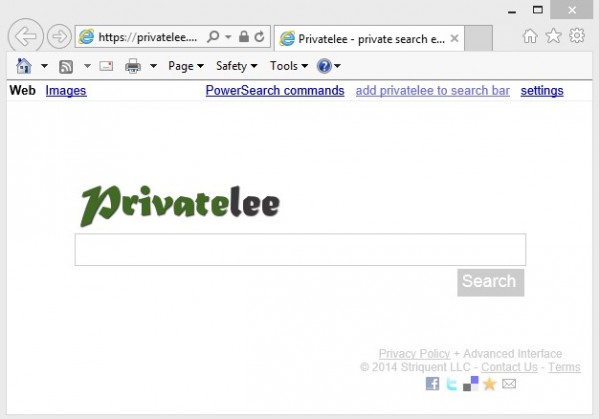
There is nothing much to talk about Privatelee but it enables strict filters and secure searches if you need it. Privatelee doesn’t keeps your search keywords to be used for surveillance or adds. It offers ‘PowerSearch‘commands that lets you configure search source and more. It is also famous by name Qrobe.it.

5. Yippy
Yippy allows you to manually filter the results according to categories and flag any inappropriate result. Unlike some engines, it allows searching of many types of content including images, web, news, blogs, jobs, government data, etc.
Yippy lets you view cached pages (like Google) and filter results by tags like sources, clouds, websites. Yippy does not track your search queries and doesn’t show customized ads.

6. Hulbee
This is a private search that delivers instant searches while not tracking your location history or search. Hulbee provides very intelligent information yet never analyses or stores its visitor’s details.
All your searches are encrypted for security against man in the middle attacks and data leaks. There is an option to choose a region for most relevant search results and then lets you ‘clear your activity‘to avoid any trace of information.

7. Gibiru
Gibiru is a fully uncensored yet encrypted search engine that prevents data leaks to third parties. It works faster than most other private search engines because it uses the ‘Google
Custom Search‘ to provide its service but removes all tracking methods followed by Google.

Just like Gibiru, Disconnect Search uses search assistance from major search engines like Google, Yahoo and Bing but it does not track your online activities or searches or IP address. It lets you search by location so that you get accurate and relevant search results based on the information you provided.
9. Lukol
Lukol uses a proxy server to give you customized search results from Google using its own enhanced custom search. It conserves your privacy by removing traceable entities. It is considered as one of the best private search engines that protects from online information and keeps the spammers away from you by safeguarding you from inappropriate and misleading sites. It ensures full anonymity for your searches.


10. MetaGer
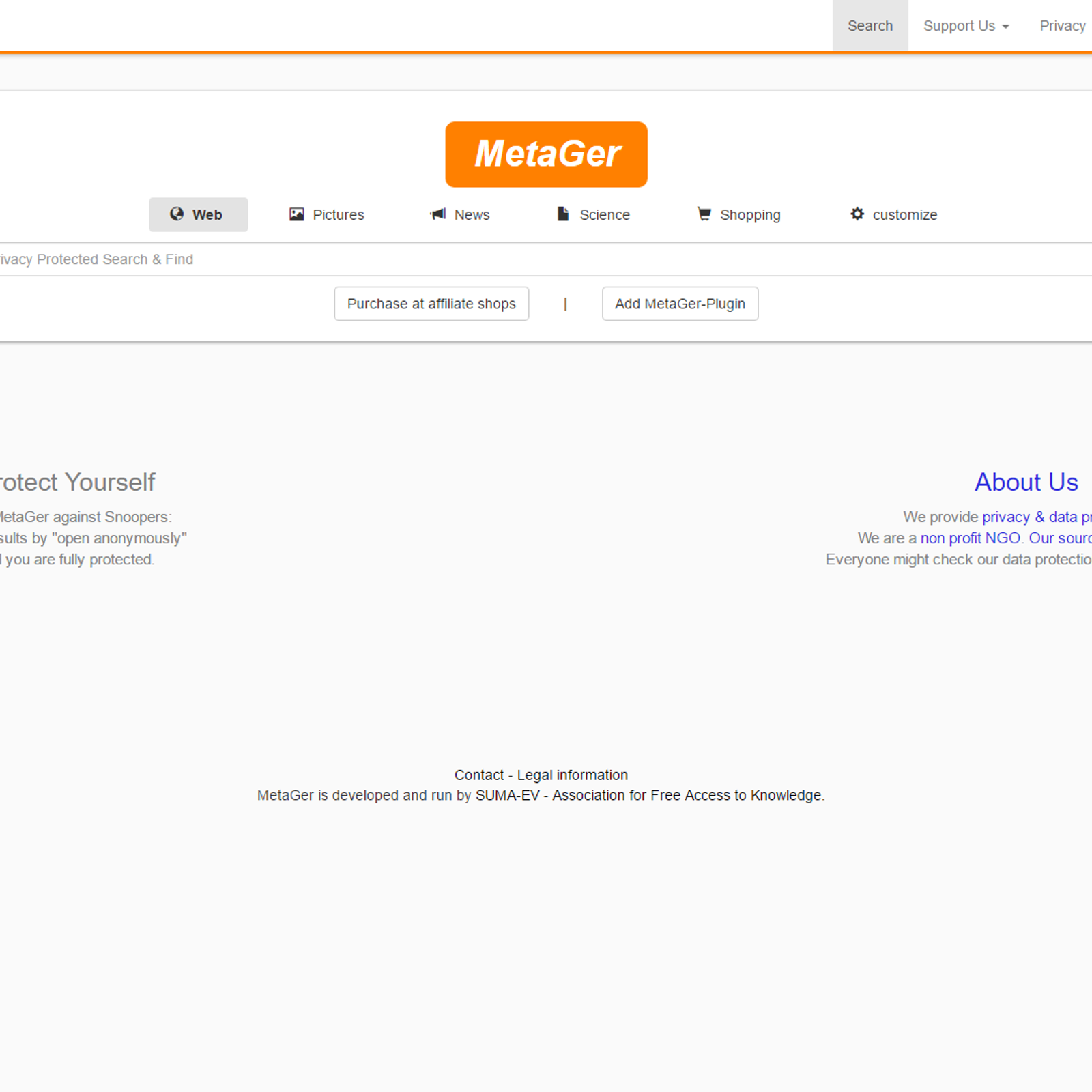
MetaGer lets you make confidential untraceable searches that leave no footprints. It also integrates a proxy server so that you can open any link anonymously from the search result pages and yet keep your IP address hidden from the destination server. It also never tracks your keywords.
This prohibits third parties or advertisers to target you for ads or any of malicious attacks. Its default language is in German.


 Thanks do comment and share.. Enjoy more at www.youngistaan.online

BEST APP FOR TRAVELING IN 2017

CHECK OUT THESE 10 TRAVEL BOOKING APPS TO BE A MASTER PLANNER.. SKYSCANNER Flights, hotels, rental cars — Skyscanner has got yo...